When To Use A  Data Grid
This article outlines a list of common scenarios that firms, architects, and developers find themselves in. In each case, you'll learn why choosing a data grid from DeeboData could be the best solution.
-
A Back-End Dev Tasked with UI Work
Sometimes, guys and girls whose role has traditionally been back-end programming will have a UI related story assigned to them. Maybe their architect just needs them to display the data from the same REST API they just developed, while the only front end dev is mired in a story related to another page. This back-end dev doesn't have time to get hung up on configuring all the intricate details many data grids require to squeeze out their max potential. Instead, they need a solution that's fully-equipped out of the box, ready for testing almost immediately, and presentable for a demo. DeeboData is a sound option here if a team is using any of the supported technologies, which is highly likely considering many teams currently use JavaScript, Angular, or React for their front end. -
Teams Need An All-In-One Solution
Developers frequently build or download data grids for management's requirements. But what if management needs more than a grid to analyze the company's data? What if they need bar graphs and pie graphs to visualize the data, further allowing them to draw insights or detect patterns that would help the company? DeeboData's Integrated Charts build dynamic charts with the user's data out of the box. Charts are derived from each column's data type and combinations of columns are used to make bar graphs or line graphs. Obviously, different types of data besides strings are needed to get certain charts. More specifically, numeric and date data in some columns creates the opportunity for more of the possible graphs to be generated. Charts get generated on the fly based on the data grid's current filters and hidden columns.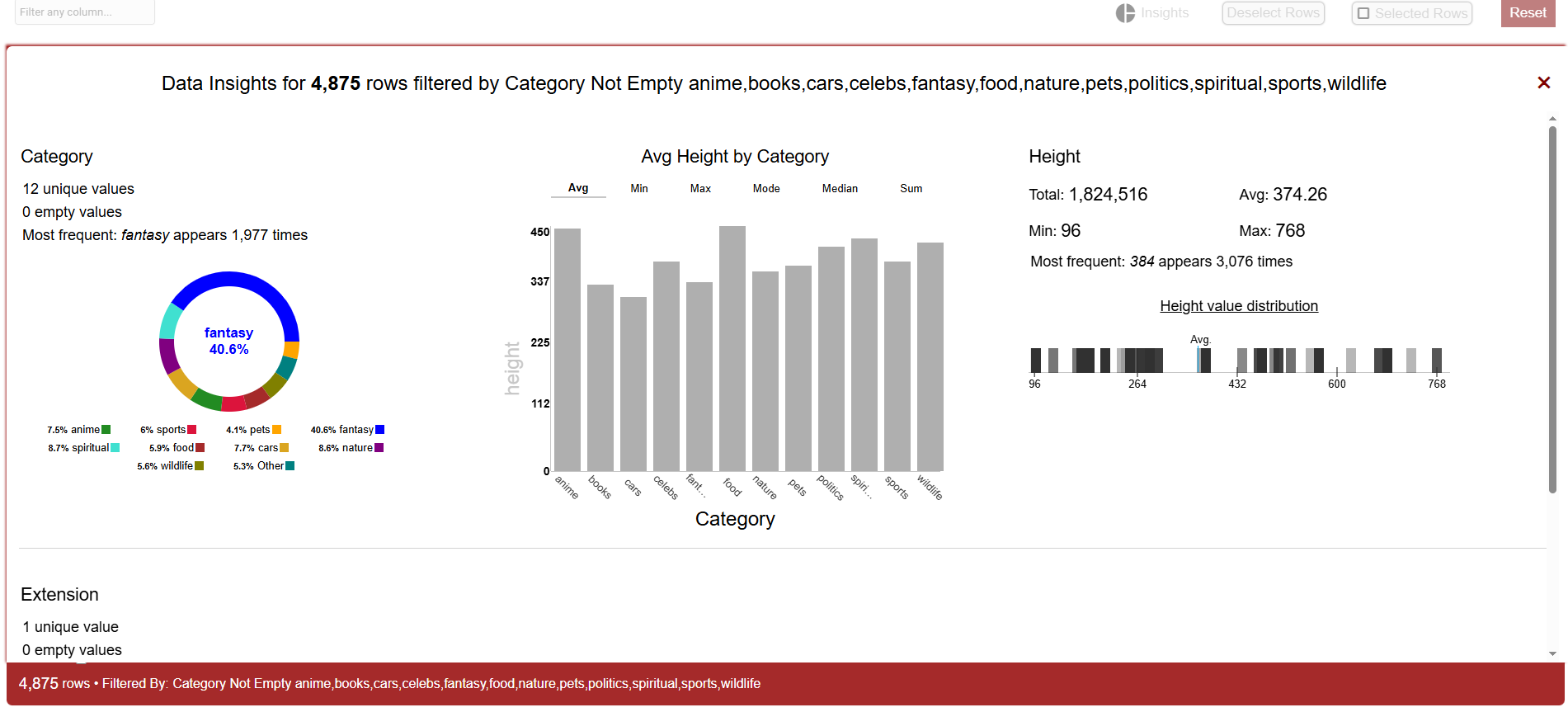
-
DIY Entrepreneurs Need Record Keeping
Many upstart business owners are not ui programmers, and they're cost-conscious. Nevertheless, there's a requirement to enhance bookkeeping due to growing sales. Excel nor community grids are cutting it anymore. This owner would love a data grid like that fancy grid that costs $1k plus, but just can't stomach paying that much. Their lack of programming experience will create a money pit if they need to hire a developer. What do they do? DeeboData's JavaScript Data Grid can really come in handy here. A novice can implement this data grid in minutes and get maximium capability by default. Lots of documentation exists for the data grid that gives step by step instructions on commonly sought after features or enhancements. Youtube Tutorials have been created for DeeboData Data Grids. -
A Lack of Trust in 3rd Party Tools
Granted DeeboData is a 3rd party relative to it's users, but one of the best features of this Data Grid suite is that each technology requires either no 3rd party dependencies at all or very minimal external packages:
- JavaScript: No 3rd party dependencies or external scripts. Just pure JavaScript with an easy quick start. One doesn't need to be an expert developer.
- Angular: Only requires the RxJS library, which is trusted and used regularly in Angular apps
- React: Doesn't require external dependencies. It can even be used as a standalone ui.
-
Teams on a Conservative Budget
Let's face it, open-source grids are nice, but normally not nice enough to fully satisfy many business needs. Teams need an enterprise solution, but may be apart of a growing business that's looking to minimize costs. Or, maybe management of a larger firm has tightened up a team's financial spigot, but not lowered their expectations about software quality. And this management team needs a data analysis tool with all the bells and whistles. What's the solution? You guessed it - DeeboData is perfect in this scenario. A license is often half or even a third the cost of competitors, but teams aren't sacrificing too many features, if any at all. They might even be getting something others don't provide. Does every enterprise grid sort by multiple columns simultaneously? Offer drop-down filters? DeeboData can do both and more.
Conclusion
In today's digitally powered world, many companies big and small are looking for tools that can help them analyze their data better. Many solutions exist. Some are free. Some are expensive. Some are easy to implement and others require a pro developer. DeeboData Data Grids are all-in-one, business intelligence solutions that are enterprise-level, but budget friendly relative to other commercial data grids. The JavaScript version is easy enough for a novice to get working, and companies are not missing out on tons of features just because it costs a fraction of what leading data grids cost. All in all, DeeboData is a fantastic solution for teams and businesses in an innumerable amount of situations.